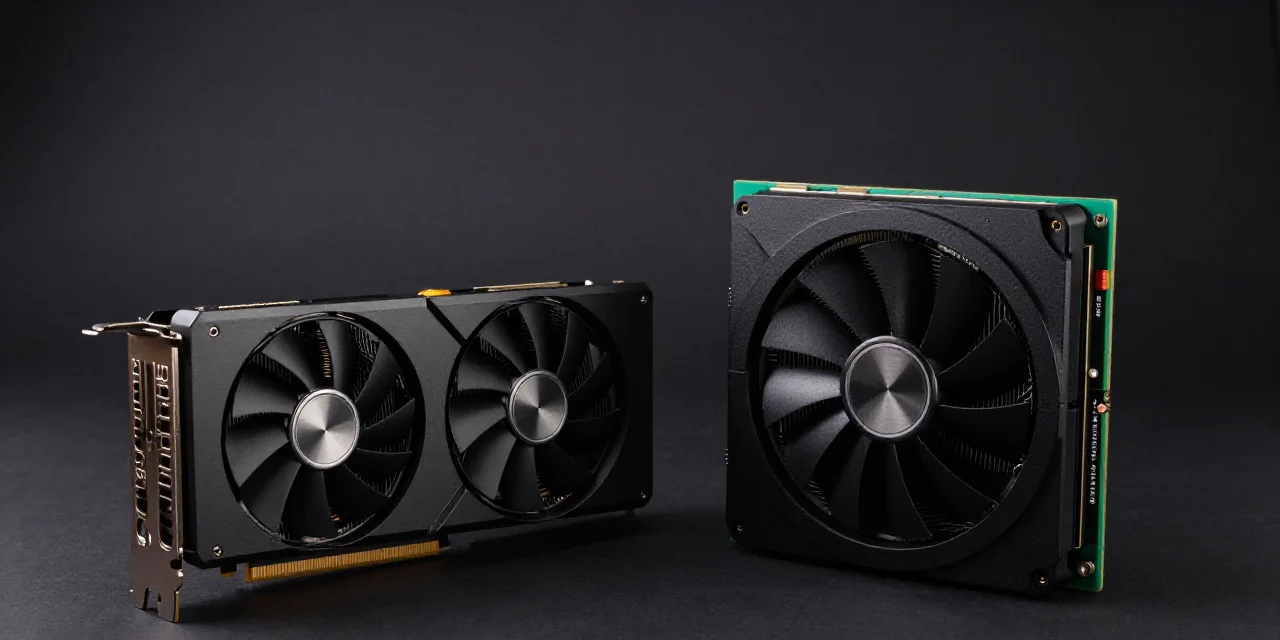
Use an RTX 4090 for image, video, and small-model inference. Use an A100 or H100 when the job needs about 80GB, multi-GPU training, or a datacenter link between cards. The rental gap is large: a 4090 median is $0.49/hr and an H100 SXM median is $3.06/hr. Same job, different bill.
01. RTX 4090 vs A100 vs H100: which job are you pricing?
The 4090 is a 24GB inference and media card.
An RTX 4090 holds 24GB. Image workflows, short video, and 7B–8B inference fit that plan. If the file you need is a picture, a short clip, or a reply from a 7B or 8B model, stop the RTX 4090 vs H100 comparison here. You are shopping for a media and inference card. A larger badge does not change the pixels.
The A100 and H100 are 80GB datacenter cards.
They exist for training and for weights that do not fit in 24GB. An A100 is also built in a 40GB size. When you compare it with an H100, use the 80GB figure. Both cards are datacenter parts. Both expect a datacenter interconnect to the next GPU. That link is what a multi-GPU train is paying for. A desk full of consumer cards does not grow the same fabric.
A100 vs RTX 4090 is a capacity choice. The 4090 stops at 24GB and has no NVLink. The A100 is the 80GB datacenter part. Pictures on an A100 waste the training hour. A weight that needs 80GB never starts on a 4090.
The question is memory and link, not prestige.
A famous chip on a small job is a larger invoice. Vast.ai lists the RTX 4090 median at $0.49/hr and the H100 SXM median at $3.06/hr. Move a 24GB image job onto the H100 row and the file is the same. The bill is not.
H100 for training, or a 4090 for inference. Hold that phrase over every listing you open. People reach this page from an H100 headline. The folder on disk is still images, a short video, or one small fine-tune. Price the folder. The chip in the headline can wait until a weight refuses to load.
02. What can each card hold?
A 4090 holds 24GB and does not NVLink to its neighbor.
Two of them are not one 48GB pool. The link the A100 and the H100 use to share a training step is absent. Split the job in software, with a runner that already knows how to shard, or step up in memory. Do not plan a 48GB model on a pair of 4090s and hope the driver adds the missing cable. If the framework cannot split the work, the second card sits idle while the first one runs out of memory.
An A100 holds 40GB or 80GB and is built as a datacenter part.
Use the 80GB figure when you compare it with an H100. The 40GB part is a different machine, and it is the wrong stand-in when the conversation is A100 versus H100. This page does not print a rental price for either A100 size. Capacity and card type are the facts in hand. The dollar row is a live listing, read the day you rent, not a number frozen into a guide.
An H100 SXM holds 80GB.
That is the training row in the price table. Vast.ai lists the H100 SXM median at $3.06/hr and the floor at $1.73/hr. The median is the number to type into a budget. The floor is one machine on the board, not a rate a team can plan a week on. You are paying for 80GB and a datacenter training part. A batch of pictures does not use that part.
A 5090 (32GB) and a PRO 6000 (96GB) sit beside this trio.
An RTX 5090 holds 32GB, the consumer step when video is already tight on 24GB and an 80GB training card would be the wrong bill. An RTX PRO 6000 holds 96GB, and Vast.ai lists its median at $1.49/hr, for large weights that fit on one workstation-class card. The full ladder, card by card, is NVIDIA GPU for AI by workload.
| RTX 4090 | A100 80GB | H100 SXM | |
|---|---|---|---|
| VRAM | 24GB | 80GB | 80GB |
| What it is | Consumer media / inference | Datacenter | Datacenter training |
| Link between cards | No NVLink | Datacenter interconnect | Datacenter interconnect |
| Fits | Image, video, 7B–8B | Training, large weights | Training, large weights |
| Vast.ai median | $0.49/hr | — | $3.06/hr |
| Vast.ai floor | $0.14/hr | — | $1.73/hr |
| Poor fit | 70B on one card, multi-day cluster train | A batch of pictures | A batch of pictures |
The dashes in the A100 price cells are intentional. This page does not print an A100 dollar figure.
03. When is the 4090 the only card you need?
When the model fits in 24GB and the output is images or short video, you are done shopping.
The RTX 4090 is the card. An out-of-memory error is the only signal that says otherwise, and an out-of-memory error on a picture is rare on current image workflows. Short video that still fits is the same decision. Do not add an A100 to feel serious. The render does not know which logo was on the invoice.
Write the VRAM number down before you sort a marketplace by price. If the checkpoint file and the pipeline fit in 24GB with a margin, the winning row is the 4090. Sorting by chip fame is how a $0.49 hour becomes a $3.06 hour.
When a 7B–8B model is the production model, the H100 hour does not make that copy better.
A 7B or 8B model that already answers in production stays a 24GB inference job. The answers come from the weights you loaded, not from the prestige of the board underneath them. Paying the H100 median for that deployment buys idle memory. It does not buy a new model.
Fine-tuning that same 7B or 8B model, when it fits, is still a 4090 job. Step off the 4090 when the run needs 80GB or more than one datacenter GPU. A small adapter on a model you already serve is not that run.
When the queue is bursty, pay $0.49 for the busy hour instead of holding an 80GB card.
A launch week, a client batch, a catalog refresh: the meter runs while frames render, then it stops. Holding an 80GB card through the quiet days puts those hours on your side of the ledger, with no frames attached. The 4090 rental median is the price of the busy hour alone. That is the match for a queue that comes and goes.
04. When does A100 or H100 become the real requirement?
When a single weight does not fit in 24GB, 80GB is the requirement, not a preference.
Do I need an H100? You need an H100, or an 80GB A100, when the weights fail to load. A 70B-class model on one card is the common shape of that wall. The 4090 returns an out-of-memory error. Retrying the same card does not shrink the file. The job becomes possible at 80GB. Until you see that error, 80GB is a larger invoice for the same success.
When the run is training across more than one datacenter GPU, consumer cards are the wrong fabric.
An H100 SXM and an A100 are built to sit on a datacenter interconnect. A 4090 has no NVLink, so two cards do not become one pool and they do not join that datacenter link. A script written for linked 80GB GPUs is not answered by a second 4090. Stay on one 24GB card when the software can split the work there. Move to A100 or H100 parts when the run truly spans more than one datacenter GPU.
When the deadline is the cost of a slower week, and you have priced that week, an H100 hour at $3.06 has to beat the extra 4090 hours it replaces.
Do that arithmetic on your own runtime. This page does not publish a speed multiple, because no single multiple is true for image work, for 7B–8B inference, and for a multi-GPU train. Take the wall-clock hours you expect on a 4090. Multiply by the $0.49 median. Take the hours you expect on an H100. Multiply by the $3.06 median. The smaller product wins. If you do not know the hours, you are not ready to pay for the H100.
05. How do you rent the one you chose without paying for the other two?
Sort by the median of the winning row, not by the floor.
For the RTX 4090, Vast.ai lists a median of $0.49/hr and a floor of $0.14/hr, 3.5× under the median. Budget $0.49. The floor is one listing, and it is the wrong number to put in a monthly plan. For the H100 SXM, Vast.ai lists a median of $3.06/hr and a floor of $1.73/hr. Budget $3.06. The 3.5× gap belongs to the 4090 only. Do not paste it onto the H100 row and call the floor a plan.
If the winning row is an A100, this page still has no dollar figure. Open the live board. Anyone searching for an A100 GPU rent quote should read that row on the day they rent, then come back to the 4090 median of $0.49/hr and the H100 SXM median of $3.06/hr as the bookends this guide will stand behind.
Keep image jobs off the H100 filter.
The filter is how small teams land on the wrong card. A filter named for training, for datacenter GPUs, or for the H100 will hide the 4090 and surface an 80GB part. Your image graph then runs on a card priced for a multi-day train. Set the VRAM you measured — 24GB for image, video, and 7B–8B work — and only then pick the name. If the output is a batch of pictures, leave the H100 checkbox empty.
SpareHive does not change this choice.
The card decision above stands whether or not you use a task product for the render.
SpareHive’s plan is task-based image and video work with ephemeral storage, not a persistent training server. A multi-hour train that needs checkpoints belongs on a server you can store to. Join the waitlist only if your work is image and video.
06. Which page do you open next?
Still unsure which VRAM bucket? Use the workload ladder before you pick among these three.
The page linked above, NVIDIA GPU for AI by workload, walks the ladder from a 24GB media card to a 96GB single-card weight. Come back here when the choice has narrowed to this trio: 4090, A100, H100.
Ready to price the hour? Budget the median of the card you already chose.
Read what those hours cost before you type a floor into a spreadsheet. A 4090 plan uses $0.49/hr. An H100 SXM plan uses $3.06/hr. An A100 plan uses the live row, not a figure from this page. The floor on either of those two cards — $0.14/hr on the 4090, $1.73/hr on the H100 SXM — is one machine. It is not the rate to multiply by a week of hours.
Ready to buy a rig instead? Decide the card before you decide to own it.
Ownership pays only when that card runs most days for years. A burst of images or a short fine-tune does not get you there, and a full-time power-on calendar is the wrong picture of a studio week. Pick the 4090, the A100, or the H100 on the rules above. Then compare renting the hour with buying the rig, as its own question, without treating this page's medians as a purchase price.
FAQ
Is an H100 three times faster than a 4090 for every job?
No. This page does not use a universal speed multiple. The H100 is the card when you need 80GB or a datacenter training run. For 24GB image work, the 4090 median is $0.49/hr and the H100 median is $3.06/hr.
Can an RTX 4090 replace an A100?
Yes, for image, video, and 7B–8B inference. No, for 80GB training jobs. The 4090 stops at 24GB and has no NVLink.
What does an A100 hour cost?
No dollar figure is printed here. Use the live listing, and use the 4090 $0.49 and H100 $3.06 medians as the verified bookends.
Do I need a GPU cluster?
Not as the default. One card with the right VRAM beats a cluster filter. Move to more GPUs when a single 80GB card still does not hold the run.