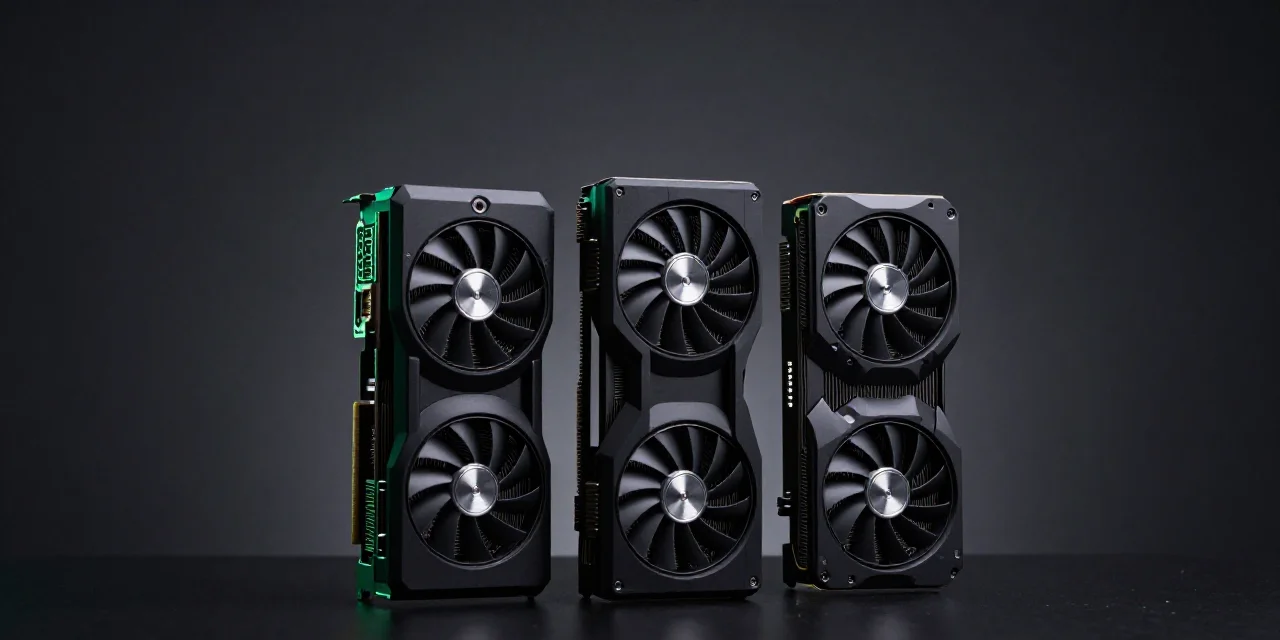
For most image and short-video jobs, the NVIDIA GPU for AI that fits is an RTX 4090 (24GB) or 5090 (32GB). Choose an H100 only when the model does not fit in 32GB or the run is long training. Rent the hour before you buy. The 4090 rental median on Vast.ai is $0.49/hr, against a $0.14/hr floor.
01. Is there one best NVIDIA GPU for AI in 2026?
No single card wins every job.
The best NVIDIA GPU for AI is the smallest card whose VRAM holds the model. A larger chip does not improve a file that already fits. A smaller chip cannot load a weight that does not fit. An H100 story and a 4090 review answer two different purchases.
Pick the job before the badge.
Searchers type "ai gpu" and expect one winner. The winner is a VRAM bucket, then the median hour for that bucket. Image, short video, 7B–8B inference, and multi-day training are four different purchases. Name the purchase before the chip.
A GPU for ComfyUI, or a stills queue, is an image job: the pipeline has to fit and a picture has to come back. A short video that dies at 24GB is a memory job. A 7B or 8B model served from one card is inference. A run that lasts days, stores checkpoints, and needs a datacenter link between cards is training. An RTX 4090 for AI covers the first three when they fit in 24GB. It does not cover a multi-day train.
Capacity and speed are different bills.
A faster 24GB card still stops at 24GB. Out of memory is a capacity bill. A long queue on a model that already fits is a speed bill. Speed never raises the ceiling. If weights fail to load, move up one memory step. If the job finishes and the afternoon is the complaint, stay in that VRAM and pay for a faster hour. Sort by the job, then by VRAM, then by the median.
Vast.ai lists a 4090 median of $0.49/hr and a floor of $0.14/hr, about 3.5× apart. The floor is one listing. A floor price is not the hour you should plan a month on.
02. How much memory does the job need?
24GB covers image workflows and 7B–8B inference.
A 3090 and a 4090 share that ceiling. Both are 24GB. Current image workflows fit on it, and so does 7B–8B inference, which is why a small studio can serve that model without an 80GB part. 70B-class weights do not. If the plan is one card and no split, leave this row before you sort by price. An hour that crashes still bills, then bills again on the rerun. Inside 24GB the two cards load the same file.
32GB is the consumer step for heavier video.
That step is the RTX 5090, rented at a $0.60/hr median. Vast.ai lists the floor at $0.27/hr. The gain is 8GB, 32GB against 24GB, for video that already exhausts a 4090. An RTX 5090 for AI means the error is memory and the output is still video. An 80GB training card is the wrong patch for that 8GB hole.
80–96GB is the step when the weights themselves do not fit.
H100 SXM is 80GB. RTX PRO 6000 is 96GB. Vast.ai lists the PRO 6000 median at $1.49/hr and the floor at $1.20/hr, and the H100 SXM median at $3.06/hr with a floor of $1.73/hr. Use this step when the weights themselves do not fit, or for training and large batches. A picture a 24GB card already returns does not belong here. Use the PRO 6000 when one board must hold the weight. The H100 SXM is the training option, with a datacenter link in mind.
Two 4090s are not one 48GB pool.
The 4090 has no NVLink, so plan capacity per card unless the software splits the job. Two 4090s are two 24GB devices, not one 48GB pool. A tool that shards the model can use both. A tool that expects a single pool still stops at 24GB on each board. An A100 is a datacenter card, commonly 40GB or 80GB. This table uses 80GB so the row sits beside the H100, and it leaves the price blank. Open the live listing when you need an A100 hour. Vast.ai is the source for every dollar figure below. Match the row to the file, then stop.
| Card | VRAM | Use it for | Waste of money for | Median | Floor |
|---|---|---|---|---|---|
| RTX 3090 | 24GB | Image, small fine-tunes | 70B-class weights | $0.17/hr | $0.10/hr |
| RTX 4090 | 24GB | Image, video, 7B–8B inference | Long training | $0.49/hr | $0.14/hr |
| RTX 5090 | 32GB | Heavier video, tighter 24GB pipelines | Multi-node training | $0.60/hr | $0.27/hr |
| RTX PRO 6000 | 96GB | Large weights on one card | A batch of pictures | $1.49/hr | $1.20/hr |
| H100 SXM | 80GB | Training, large batches | Casual image runs | $3.06/hr | $1.73/hr |
| A100 80GB | 80GB | Training when H100 is the wrong fit | Casual image runs | — | — |
03. When is a 3090 still the right NVIDIA GPU for AI?
Same 24GB, about one-third of the 4090 median.
Vast.ai lists the 3090 median at $0.17/hr, against the 4090 median of $0.49/hr. The floor is $0.10/hr. Same memory, about one-third of the median. You are paying the 4090 for throughput, not for a weight the 3090 cannot hold.
Choose it when the queue is short and the model already fits.
Throughput is the only thing you give up inside 24GB. The same image comes back, later. For a test frame or a small fine-tune that already fits, those extra minutes cost less than the jump from $0.17 to $0.49. Choose the 3090 when the model loads and the queue still lands today.
Skip it when the render queue is the business.
A slower hour that runs all afternoon can cost more than a faster card. Price the finished queue. This page will not invent a speed multiple. Time one batch on each card and multiply by the two medians. Skip the 3090 when that queue is the business, a catalog or a client review that fits in 24GB and has to ship today. A 3090 does not postpone a memory error. It only changes the clock. Keep it for image work and small fine-tunes that already sit inside 24GB. Drop it when clients feel the clock, not the VRAM. A day of slow hours can pass the 4090 median even when each hour looked modest on the listing.
04. When do you step from 4090 to 5090?
Step up when 24GB is the error, not the speed.
Out-of-memory on video is a 5090 problem, not an H100 problem. The miss is often 8GB: a sequence or a high-resolution pass that loads as a still and dies as video. Step up after the same files fail on a 4090. Do not step up because 32GB sounds like spare room. Treat 24GB as the error only when you have watched it fail. A tighter pipeline that still returns frames on a 4090 is a 4090 pipeline. Speed complaints inside 24GB are the previous section, not this one.
The price step is small next to the H100 step.
The 5090 median is $0.60/hr. The H100 SXM median is $3.06/hr, about 6× the 4090 median. One jump is 32GB for heavier video and for pipelines already tight at 24GB. The other jump is an 80GB training card. Renting an H100 to patch an 8GB hole prices a video error as a training job. Renting a 5090 for an 80GB weight saves the rate and still crashes.
Stay on 4090 when 24GB already finishes the shot.
Extra 8GB you do not use is an idle upgrade. If the 4090 finishes the image, the short video, or the 7B–8B pass, the extra 8GB does not change the file. The $0.60 median would buy memory the job never touches. Stay when the render completes and the queue is tolerable. Move when those files crash, or when they finish only after a crop you will not ship. Headroom is a reason after a crash, not while the 4090 still returns the shot.
05. When do PRO 6000 or H100 hours make sense?
PRO 6000 is the one-card option at 96GB.
Use the PRO 6000 when the weight fits one workstation-class card and does not fit in 32GB. The median is $1.49/hr. 96GB on one board means you do not have to build a multi-GPU link just to load the file. It is the wrong hour for a batch of pictures. Stills that fit in 24GB stay on the 4090, or on the 3090 if the queue can wait. A serious name does not make a still worth the PRO 6000 median.
H100 is a training budget.
The median is $3.06/hr, about 6× the 4090 median. The NVIDIA GPU for machine learning is this row or the A100 row when the work is a long train or a weight past 32GB. If the still would have finished on the 4090, that gap is the overpay. Keep image jobs off the H100 filter.
An A100 is the other 80GB class.
Compare the live listing that day. This page does not print an A100 price. Use 80GB when you set it next to an H100, and treat a 40GB A100 as a different board. Both are datacenter parts for training and for weights that do not fit in 24GB. Memory, the link between cards, and the 4090 and H100 medians are on RTX 4090 vs A100 vs H100. If your bucket is 24GB or 32GB, you do not need that page yet.
06. Can you rent the hour instead of buying the card?
At 30–50% use, a bought 4090 worked hour lands around $0.45–$0.75.
Full-time ownership in the same model is about $0.23/hr, and full-time is the wrong planning case. At 30–50% use the worked hour lands around $0.45–$0.75. The 30–50% band is an illustration of use, not a survey. A studio week includes failed renders and empty days, so the full-time number is a ceiling in the model, not a calendar. Set the worked-hour band next to the $0.49 rental median. When the card would sit idle, the rented hour is the lower bill for work you actually finish. The full comparison is cloud GPU rental vs buying. This page does not rebuild that model or divide the hour again.
Rent a shell if you need a machine today.
Vast.ai is the live market behind the medians above. Rent a shell when you need the machine today: a listing, an hour, a desktop you configure. Budget the median of the row that holds the model. A shell fits a custom install and a train that must keep its files. It fits a picture badly. A cold shell can spend the first hour on setup before a frame exists. Match VRAM so that hour is not also a crash.
Task rental fits people who want the files, not the desktop.
SpareHive is a waitlist for task-based image and video jobs: a preinstalled environment, a prompt or job in, files back, no SSH, and no multi-gigabyte weight download over a slow link. Per-second billing and a $5 minimum top-up are the plan. The marketplace is not taking rental jobs yet. Join the SpareHive waitlist.
A multi-day train that needs checkpoints belongs on a shell you can store to, on the VRAM row you already picked.
FAQ
Is the H100 the best NVIDIA GPU for AI?
No. For image and short video, an RTX 4090 or 5090 matches the job. An H100 median of $3.06/hr makes sense for training and for models that do not fit in 32GB. A famous chip on a small job is a larger invoice.
Is 24GB enough for AI image work?
Yes for current image workflows and for 7B–8B inference. It is the wrong plan for 70B-class weights and for video pipelines that already exhaust 24GB. If the stills finish, do not pay an 80GB hour to feel safer.
Does a 4090 run larger models than a 3090?
No. Both are 24GB. You pay the 4090 median of $0.49/hr, versus $0.17/hr, for throughput. The larger bill does not load a larger model.
Should a small studio buy the card?
Only if it will sit in use most days for years. At 30–50% use, the worked hour on a bought 4090 is about $0.45–$0.75, in the same range as renting at the median. A card that sleeps between projects never reaches the full-time case.
Can I rent this card from SpareHive today?
No. SpareHive is a waitlist. The plan is task-based image and video jobs, and rental hours are not on sale yet.